
Beginner-Friendly IT 2: How Does a Website Go Online? Understand This Chain First
Many beginners think launching a website simply means:
I upload the code to a cloud server, and then everyone can open it.
It is not that simple.
For a website to be visited, there is a chain in the middle. You do not need to become a professional operations engineer, but you should know what each link does.
Step 1: The Domain Name Is the Street Address
dongguixishi.com is a domain name.
Users cannot remember a server’s real address, so they use a domain name. Think of it as a shop address.
But an address alone is not enough. You must tell the world:
This address should point to that server.
That is DNS.
For beginners, remember two common records first:
- A record: points a domain to a server IP
- CNAME: points one domain to another domain
Many website problems are not code problems. They are DNS configuration problems.
Step 2: The Server Is the Shop
A server is a remote computer that stays on for a long time.
Your website, backend program, database, and logs may all live on a server.
At minimum, learn to:
- Log in with SSH
- View directories and files
- Upload or pull a project
- Start and stop services
- Check whether the disk is full
- Read logs
The goal is not professional operations work. The goal is to know where to look when something goes wrong.
Step 3: Nginx or Caddy Is the Reception Desk
When users visit your website, requests do not automatically find your program.
Usually a web service receives the request first, such as Nginx or Caddy.
They mainly:
- Receive user visits
- Forward requests to the real application
- Handle HTTPS
- Serve static files
- Work as reverse proxies
Nginx is common and stable. Caddy is friendlier for beginners because it supports automatic HTTPS by default.
Step 4: SSL Turns the Website into HTTPS
A serious website should use HTTPS.
Without HTTPS, browsers may mark it as unsafe. Login, payment, and forms can also run into trouble.
An SSL certificate lets the browser trust:
You really are visiting this website, and no one in the middle is pretending to be it.
Certificate setup used to be difficult. Now platforms such as Cloudflare, Vercel, Netlify, and tools such as Caddy make HTTPS much easier.
Step 5: Docker Is a Standard Container
If you have heard of Docker, first understand it this way:
Docker packages a program and its runtime environment into a standard container.
In the past, this happened often:
- It works on the developer’s computer.
- It fails on the server.
- A library is missing, a version is wrong, or an environment variable is not set.
Docker solves environment consistency.
You do not need to master Docker at the start. Just understand why it matters: deployment becomes more stable and easier to move.
Step 6: Logs Are the Medical Record of a Website
When a website has problems, do not only say “it cannot open.”
Learn to read logs.
Common problems include:
- 404: page not found
- 500: internal server error
- 502: proxy cannot reach backend service
- Certificate error: HTTPS or domain issue
- Database connection failure: backend cannot connect to database
Logs are like medical records. They may not tell you the cure, but they tell you where it hurts.
This Chain Is Enough at the Beginning
The smallest website launch chain is:
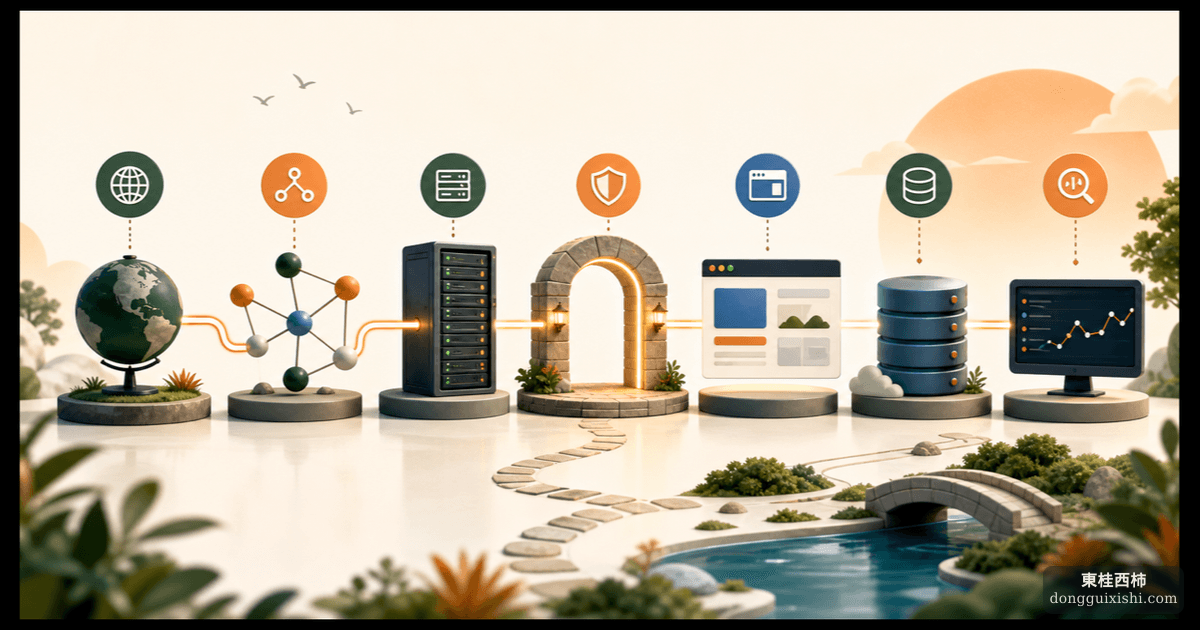
Domain → DNS → Server → Web service → Application → Database → Logs
Understanding this chain is more useful than memorizing a pile of Linux commands.
When you use AI or ask someone to deploy a project, being able to ask these questions already puts you ahead:
- Where does the domain point?
- Who handles HTTPS?
- Which server runs the application?
- Where is the database?
- How do we read error logs?
- Where are backups?
If you can ask these questions, you are no longer completely new.
Extra Note
If you want an even simpler starting point, learn how to deploy on Vercel or Cloudflare Workers and Pages. I will not expand on that here. Ask an AI coding tool, and it can usually help you open the path within an hour.