
Works
TubeFlow - Browser Video Extension
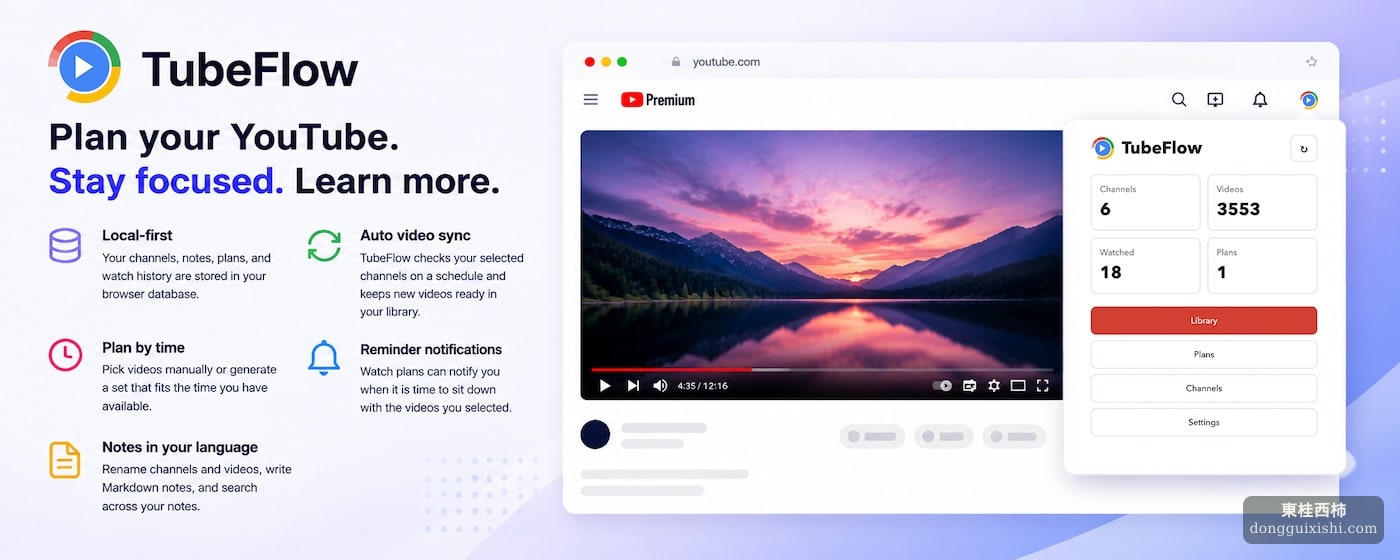
TubeFlow is a local-first YouTube video management extension for syncing favorite channels, organizing video notes, and planning what to watch next. You can configure your own YouTube API Key, add channels you care about, sync video information automatically or manually, then search, pin, feature, annotate, and schedule videos inside your local video library.
Overview
TubeFlow is a local-first browser extension for managing YouTube watching. You can configure your own YouTube API Key, add favorite channels, sync video information, search your video library, pin important videos, mark selected videos as featured, write notes, and plan what to watch next.
-
Local-first
Channels, videos, notes, plans, and watch records are stored in your browser’s local database.
-
Automatic video updates
TubeFlow checks the channels you add on a schedule and syncs new videos into your library.
-
Plan by time
Select videos manually, or generate a set of videos that fits the time you have available.
-
Scheduled reminders
When it is time to watch, TubeFlow can remind you through browser notifications.
-
Take notes in your own language
Rename channels and videos, write Markdown notes, and search by note content.
The Problem It Solves
We see many videos on YouTube every day.
Some are worth watching immediately. Some are better saved for the weekend. Some channels deserve long-term attention, and some videos are useful enough to revisit again and again. But YouTube itself is closer to a constantly moving feed. Recommendations, subscriptions, playlists, and watch history all work, but they are not always designed for long-term organization and intentional watching.
TubeFlow is built for this situation.
It is a local-first browser extension with a simple goal: turn the YouTube channels and videos you care about into your own personal video library.
Why TubeFlow Is Useful
If you only watch videos occasionally, YouTube’s built-in features may already be enough.
But if any of the following sounds familiar, TubeFlow may be a good fit:
- You follow many YouTube channels over the long term
- You use YouTube to learn languages, skills, or research topics
- You often find videos but do not have time to watch them immediately
- You want to know which videos you have watched and which ones are worth revisiting
- You want to write notes for channels and videos in your own language
- You want to watch according to your own schedule instead of being pulled along by the recommendation feed
TubeFlow is not an extension for making endless scrolling more addictive. It is closer to a quiet workbench where you can organize videos, plan your watching, and keep useful records.
Who Is TubeFlow For?
TubeFlow is especially useful for:
- People learning foreign languages with YouTube
- People who follow many knowledge-focused channels
- Researchers, writers, editors, and people who collect reference material
- People who want to reduce random browsing and increase planned watching
- People who want to turn videos into reusable long-term resources
It does not try to replace YouTube. Instead, it fills the parts YouTube is not especially good at: organization, planning, notes, and rewatching.
Key Features
Add Channels and Sync Videos Automatically
TubeFlow works with your own YouTube API Key.
After configuring the API Key, you can add favorite channels by channel link, handle, or Channel ID. TubeFlow syncs that channel’s video information and saves it into your browser’s local database.
After that, the extension checks those channels for new videos on a schedule. You no longer need to open each channel every day to see whether anything has been updated. New content will gradually enter your video library.
For people who follow learning channels, knowledge channels, or interview channels over the long term, this matters. You are no longer limited to clicking whatever appears in front of you. You now have a stable video archive that can grow over time.
Video Library: Search, Filter, Pin, and Feature
The video library is TubeFlow’s core page.
Here you can search videos by title, channel, tags, and note content. You can also filter by channel, video duration, pinned status, featured status, and unwatched status.
If a video is important, you can pin it.
If a video is worth recommending to your future self, you can mark it as featured.
If a video should no longer appear, you can delete it. TubeFlow marks the deletion in your local database, so you do not need to worry about it being synced back again.
Write Notes in Your Own Language
YouTube video titles do not always match the way you understand the content.
For example, a video from a language-learning channel may be titled:
I Tried a Local Hot Spring in Japan!
But for you, its real value may be:
Japanese expressions related to hot spring experiences
TubeFlow lets you add custom titles and Markdown notes to channels and videos. You can rename content in your own language, record key points, impressions, clips, reasons to rewatch, or even write an overall evaluation for a channel.
More importantly, search includes note content.
This means TubeFlow is not just saving video metadata. It helps you build a knowledge library that you can understand, search, and reuse.
Generate a Watch Set Based on Available Time
We often run into this situation:
I have 20 minutes right now. What should I watch?
YouTube will keep recommending more videos, but it does not know what you truly want to complete. TubeFlow’s watch-set feature starts from your current filtered result and generates a group of videos whose total duration fits the time you enter.
You can first filter by channel, duration range, unwatched videos, or featured videos, and then let TubeFlow generate a set based on those conditions.
This turns “I have a little time now” into something more intentional than “let me scroll for a while.” It can become a small planned watching session.
Schedule Watching and Get Reminders
TubeFlow lets you add videos to a watch plan.
You can select multiple videos in the library and schedule them for the same time. The plan page organizes videos by time, so you can clearly see what you intend to watch and when.
When the scheduled time arrives, TubeFlow can remind you through browser notifications.
This is not meant to create more interruptions. It is meant to turn “I’ll watch it when I have time” into a concrete plan. For learning content in particular, anything without a plan is easy to postpone indefinitely.
Watch Records Without Holding You Hostage
Each time you open a video through TubeFlow, the extension opens YouTube and records the watch count and most recent watch time.
This helps you know:
- Which videos you have watched
- How many times you have watched a certain video
- When you watched it most recently
At the same time, the recent watch list can be cleared. Clearing recent watches only makes the list cleaner; it does not reset the video’s own watch count or most recent watch time.
In other words, TubeFlow records behavior, but it does not use records to hold you hostage.
Local-First, with Your Data in Your Hands
One of TubeFlow’s core principles is local-first.
Channel data, video data, notes, watch records, and watch plans are stored by default in the browser’s IndexedDB. TubeFlow does not send your notes, watch history, watch plans, or database backups to a TubeFlow server, because there is no remote server.
When the extension needs to sync YouTube channel and video information, it uses the YouTube API Key you configure to request metadata from the YouTube Data API.
You can also export or import the local database from the settings page. For anyone who seriously accumulates content, backups matter, because this is no longer just extension data. It is your personal watching archive.
Three Interface Languages
TubeFlow currently supports English, Simplified Chinese, and Japanese.
When first installed, the extension chooses the interface language based on the browser’s preferred language:
- Languages beginning with
zhuse Chinese - Languages beginning with
jause Japanese - Other languages use English by default
This also matches TubeFlow’s core idea: users should be able to understand and organize content in a language that feels familiar.
Closing
YouTube is a vast ocean of content. The question is not only whether good content exists, but whether the good content you find can be saved, found again, watched, understood, and reused.
TubeFlow is built to help you turn scattered videos from the feed into your own watching system.
If you want to use YouTube more intentionally instead of being pulled along by the recommendation stream, try TubeFlow and turn YouTube from an endless feed into your personal video library.
-
Visit Chrome Web Store:
https://chromewebstore.google.com/detail/blkfgcphoapjknkmlmpifalnmpaicfmo
-
Visit the TubeFlow homepage: