
Beginner-Friendly IT: How Non-Technical People Can Understand and Build a Software Product in the AI Era
Years ago, very few people around me studied software development. Among my childhood friends, not a single one majored in IT. Even when IT jobs were widely seen as relatively well-paid, not many people actively wanted to enter this field. Many people who became developers did so only after leaving school, finding their original major difficult to turn into work, and then switching careers.
This year, unexpectedly but also understandably, people around me began asking me about software development. They seem genuinely interested now. They no longer see English words on a screen and immediately say their head hurts.
The rapid rise of AI has made many people outside IT feel tempted to try. A lot of beginners have already taken action, but reality is often less romantic than imagination. It is true that you no longer need to buy piles of courses or watch endless tutorials. If you have a question, you can ask AI. But if you want to do something systematic, you still need someone with experience to help you see the road.
To avoid repeating the same explanation to people around me, and to share it with more readers, I wrote this Beginner-Friendly IT series based on roughly 20 years of software development experience. I believe that after reading these six articles, your own exploration of software development will become steadier and more enjoyable.
The core goal of this series is not to “train programmers.” It is to help people who do not understand IT gradually understand how a website goes online, what frontend and backend mean, how reliable AI-generated code really is, and how mature systems and AI Agents can help turn an idea into a product.
These five short articles cover the key points you need before building a usable software product:
Part 1: If You Are an IT Beginner Who Wants to Build a Product, First Understand These Five Things
Part 2: How Does a Website Go Online? Beginners Only Need to Understand This Chain First
Part 3: What Are Frontend, Backend, and Database? A Restaurant Analogy Makes It Clear
Part 4: Do Not Start from Scratch: Beginners Should Learn to Use Mature Systems
Part 5: How Should Beginners Use AI Agents and AI Coding Tools?
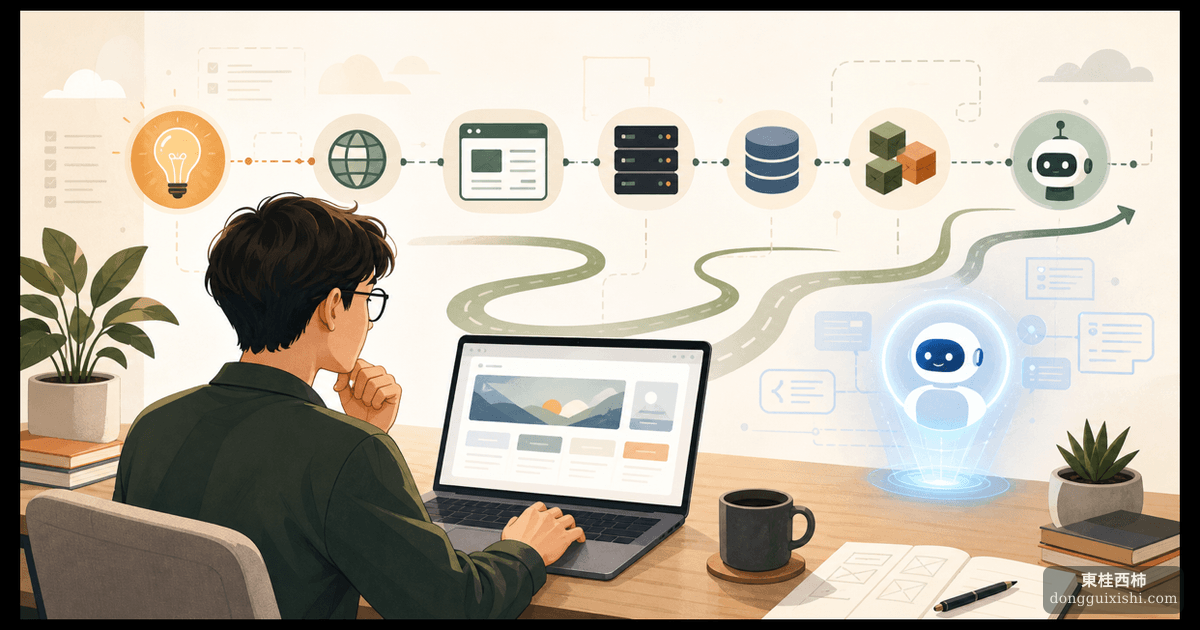
The outline below is a map of the software world. You do not need to study it stage by stage like a school syllabus. Think of it more like a game world map: once you can see the whole map, you can slowly explore the areas that interest you.
How should you explore it? Ask AI directly based on the outline.
Stage 1: Understand the Software World First
-
Why should ordinary people now understand a little software development?
Once AI can write code, understanding software logic becomes more important than memorizing syntax.
-
What happens after someone enters a URL and a webpage opens?
Domain names, DNS, servers, browsers, and HTTPS are worth understanding at a basic level.
-
What do frontend, backend, and database each do?
Use the restaurant analogy: front desk, kitchen, and storage. You only need to understand the idea first.
-
What is an API, and how do software systems talk to each other?
Learn the basic ideas behind HTTP requests, REST APIs, and JSON.
-
Why does AI-generated code still need human review?
Requirements, edge cases, data, security, and cost all require human judgment.
Stage 2: Get a Website Running
-
A Linux server is not a hacker terminal. It is a remote computer.
Learn the basics of SSH, directories, files, and permissions.
-
The minimum knowledge package for launching a website: domain, server, and SSL.
From buying a domain to enabling HTTPS, the first goal is simply to get something usable.
-
What are Nginx and Caddy?
They receive visitors and route requests. Nginx is stable and common; Caddy is friendlier for beginners and can handle HTTPS automatically.
-
What is Docker?
Think of it as putting a project into a standard container. It helps keep environments consistent.
-
How do you investigate website problems?
Logs, status codes, and restarting services solve many common issues. You do not need to become a professional operations engineer.
Stage 3: Understand Frontend Applications
-
What is TypeScript?
It adds a kind of instruction manual to JavaScript. Types are not exam questions; they reduce communication cost.
-
What is React?
It breaks pages into components. Learn the ideas of components, state, and events.
-
Why does the React ecosystem feel complicated?
Routing, requests, state, and build tools solve different problems. You do not need to master everything at once.
-
How do you read a frontend project structure?
Read it like a book. Some files are the main chapters; some are appendices you can ignore at first.
-
What is the difference between web, desktop, and mobile apps?
Start with the web, then understand React Native, Tauri, and Electron later.
Stage 4: Choose One Backend Direction
-
Backend is not a mysterious black box.
It mainly handles data and rules: APIs, databases, and permissions.
-
How should you choose between Python, Go, Node.js, Java, and PHP?
Python is strong for AI, data, automation, and quick prototypes. Go is good for high-performance services and cloud-native work. Node.js with TypeScript is good when you want one language across frontend and backend. Java is common in large enterprise systems. PHP with Laravel remains very practical for business backends, CMS work, and traditional web projects.
-
What is a database, and why is Excel not a real production system?
Tables, fields, queries, relationships, permissions, backups, and consistency matter.
-
Why do user systems and permission systems often go wrong?
Login, roles, and access control are business logic, not just buttons.
-
What do file upload, cache, queue, and WebSocket each solve?
Let AI explain them through real scenarios. You do not need heavy theory at the beginning.
Stage 5: Do Not Reinvent the Wheel
-
Why are mature systems better than starting from scratch for beginner entrepreneurs?
CMS, admin panels, permissions, and content management are already solved in many places.
-
What are WordPress, Payload, Strapi, and Directus good for?
Content sites, admin systems, and Headless CMS each have different strengths.
-
Why is Laravel + Filament efficient for building admin panels?
It may look traditional, but it is still very effective for real business tools.
-
What are Supabase and Appwrite?
They package database, login, storage, and serverless functions together.
-
How do you decide whether to build custom or assemble mature systems?
Consider cost, time, security, and maintenance together.
Stage 6: AI Agents and AI Coding
-
What exactly is an AI Agent, and how is it different from a chatbot?
Think in terms of goals, tools, memory, and execution.
-
A prompt is not a spell. It is a work brief.
Role, context, constraints, and acceptance criteria matter.
-
What is a RAG knowledge base?
It lets AI search your documents before answering.
-
Who are Dify, Coze, n8n, and LangChain for?
Visual apps, automation, and developer frameworks are different things. Try demos first; put serious production use later.
-
How do Codex, Cursor, and Claude Code work with human developers?
AI writes more code. Humans still own requirements, review, and launch.
-
Is multi-agent collaboration necessary?
Not at the beginning. Get one Agent working before splitting roles.
-
How can a beginner use AI to build a real online tool?
Start with a tiny idea and go through the full path from requirement to deployment.
Final Project
You can test your ability to guide AI through five steps:
-
Start from one idea and design a simple content tool.
-
Use a mature system for the backend instead of writing user management from scratch.
-
Use AI to help build the frontend and APIs.
-
Deploy it: domain, SSL, logs, and backups.
-
Review the process: where AI is strong, and where human judgment is still essential.